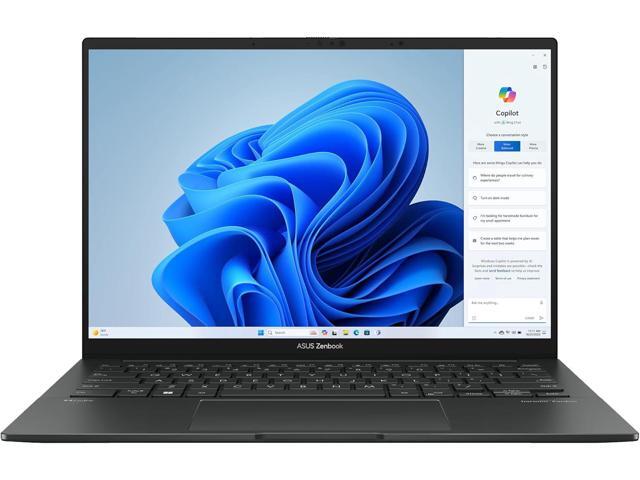
Overview
I bought the Zenbook 14 OLED because I needed a travel laptop with a color-accurate screen. At 2.82 lbs, it’s the lightest 14-inch laptop I’ve carried, and the 2.8K OLED is factory-calibrated to 100% DCI-P3 with Delta E < 2 accuracy. I edit photos on the go and I trust this screen. That’s the entire sales pitch, and it works.
Display
The 14-inch 2.8K (2880x1800) OLED panel at 120Hz is the reason to buy this laptop. I opened Lightroom on day one and the colors were right. ASUS’s Pantone Validated calibration means I don’t need to break out a colorimeter. 100% DCI-P3 coverage handles wide-gamut workflows, and the 120Hz refresh makes scrolling and cursor movement noticeably smoother than 60Hz panels.
HDR content looks stunning. The contrast ratio is essentially infinite thanks to per-pixel dimming. Peak brightness of 600 nits is enough for HDR10 content. I watched a few HDR demos and the blacks were inky and the highlights punched.
Performance
The Intel Core Ultra 7 258V is efficient and handles single-threaded creative work well. I ran Lightroom Classic, Photoshop, Illustrator, and Figma without issues. The integrated Intel Arc graphics handle GPU-accelerated effects in Photoshop and light video editing in Premiere.
Where it falls short: sustained GPU workloads. 4K video rendering, 3D modeling, heavy After Effects compositions. I tried a Blender render and it was painfully slow. For those tasks, you need a discrete RTX GPU like the Dell XPS 16 or MacBook Pro.
Portability
At 2.82 lbs and 0.59 inches thin, this laptop slips into any bag and disappears. The aluminum chassis feels solid despite the low weight. I carried it for two weeks of travel and never resented it. That’s the test for a travel laptop, and the Zenbook passed.
Ports
The port selection is excellent for a laptop this size: two Thunderbolt 4 for docking and external displays, USB-A for legacy peripherals, full HDMI 2.1 for monitors and projectors, and an SD card reader for camera imports. This is exactly what a creator laptop needs. I was importing photos from my camera within seconds of sitting down.
Battery
The 75 Wh battery delivered 7 to 8 hours in my testing with the OLED display active. That’s acceptable but not great. The OLED panel draws more power under mixed content than an IPS screen would. If you’re doing color work for extended sessions, you’ll want power nearby. I managed a cross-country flight on a single charge, but just barely.