Who Is This For?
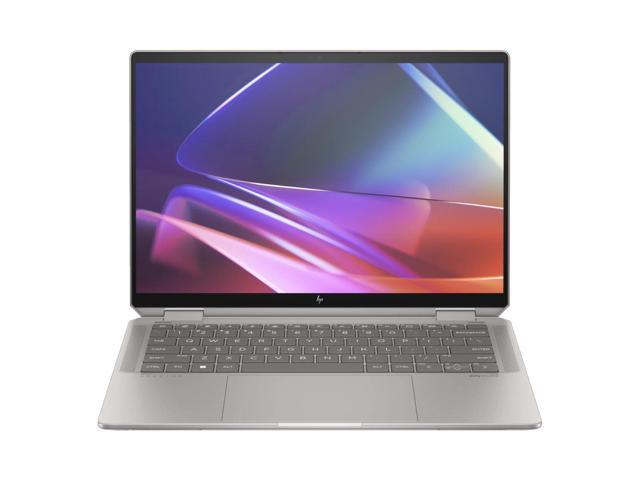
I think the Spectre x360 14 fits a specific kind of user, someone who wants a convertible that looks and feels premium without compromise.
- Students and note-takers: I used the included pen in tablet mode for a week of meetings. It replaced my paper notebook entirely.
- Media consumers: Watching content on this OLED display ruined my old laptop for me. Netflix, YouTube, even photo browsing feels like a different experience.
- Creative professionals: I edited photos in Lightroom without issues. Illustration apps work great with the pen too.
If you need real GPU power for video editing or 3D work, this is not your machine. Look at the Dell XPS 16 or a dedicated creator laptop.
Display
The 2.8K (2880x1800) OLED panel is the best display I’ve seen on a 2-in-1 at this size.
- Perfect blacks with infinite contrast ratio
- 100% DCI-P3 color gamut for accurate color work
- 120Hz smooth scrolling
- Touch + pen input with 4096 pressure levels
The 16:10 aspect ratio gives you extra vertical space for documents and web browsing. I noticed it immediately coming from a 16:9 machine.
Pen Experience
HP includes the MPP 2.0 rechargeable pen in the box. That matters because competitors charge more for theirs. The pen magnetically attaches to the side for storage and charges via USB-C. I found the latency low enough for handwriting and quick sketches, though if you do serious digital art, a dedicated drawing tablet still feels better.
2-in-1 Form Factor
The 360-degree hinge lets you use it in four modes:
- Laptop: standard productivity
- Tent: presentations and video calls
- Tablet: note-taking and sketching with the pen
- Flat: sharing your screen across a table
At 2.93 lbs, I could hold it as a tablet for about 15 to 20 minutes comfortably. After that, my arms started complaining. That tracks with every 2-in-1 I’ve used.
Battery Life
The 68 Wh battery paired with Intel’s Lunar Lake processor gave me 10 to 12 hours of productivity use. That matches the ThinkPad X1 Carbon and easily covers a full workday without hunting for an outlet.
The Bottom Line
The Spectre x360 14 is the best premium 2-in-1 I’ve tested. The included pen, the OLED display, and the sub-3 lb weight make it the whole package for anyone who wants convertible flexibility without settling. The only reason to pass on it is if you need a discrete GPU.