Who Is This For?
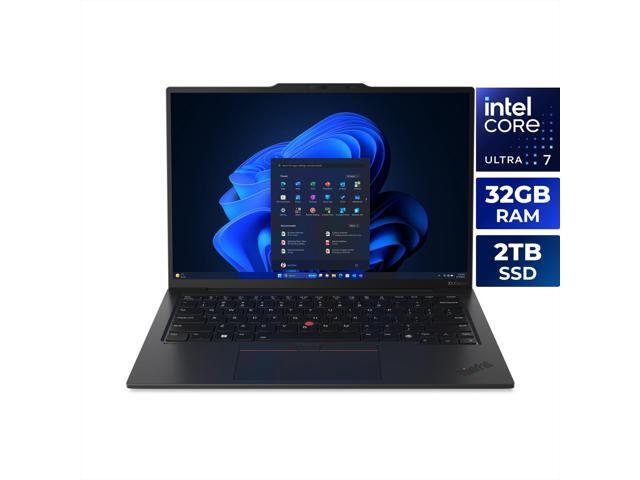
I’ve carried the X1 Carbon Gen 12 everywhere for weeks, and it’s built for a specific kind of professional.
- Road warriors: at 2.48 lbs, it disappears in a bag. I’ve taken it through TSA more times than I can count.
- Enterprise users: Windows 11 Pro, vPro eligible, FIDO2 security, and IT-friendly BIOS management. Your IT department will thank you.
- Writers and knowledge workers: the keyboard alone justifies the purchase. I mean that.
If you need to run CAD, edit 4K video, or game, look elsewhere. This is a productivity machine and nothing more.
Keyboard and Trackpad
This is why people buy ThinkPads. I’ve typed on dozens of laptop keyboards, and this one is still the best. 1.5mm of travel with a tactile, snappy feel that no other ultrabook matches. The TrackPoint nub is still here for ThinkPad loyalists, and the trackpad is glass-smooth with Windows Precision drivers. Every time I switch to a different laptop, I miss this keyboard within five minutes.
Display
The 2.8K (2880x1800) OLED panel was a big upgrade from previous LCD generations. I noticed it immediately.
- Perfect blacks and infinite contrast
- 100% DCI-P3 color gamut
- 120Hz refresh rate for smooth scrolling
- Touch support
Brightness peaks at 400 nits. Fine for indoors, but I struggled in direct sunlight at an outdoor cafe. Something to keep in mind.
Battery Life
The 57 Wh battery gave me 8 to 10 hours of office productivity: web, docs, email, video calls. That’s a full workday for most people. It falls short of the Dell Latitude 9450’s 12-plus hours, but I never felt anxious about running out.
The Bottom Line
The ThinkPad X1 Carbon Gen 12 is the laptop I compare everything else to. The keyboard, build quality, and weight are best-in-class. The OLED display is a luxury that genuinely makes spreadsheets and documents pleasant to look at. If you don’t need a discrete GPU, this is the one to get. I bought one, and I’d buy it again.