Overview
I used the Surface Laptop 7 as my only work machine for a full week. The Snapdragon X Elite chip delivered genuinely all-day battery life, 18-plus hours in real use, with zero fan noise. Complete silence the entire time. The catch: not every Windows app runs natively on ARM yet, and I hit that wall more than once.
Performance
For native ARM64 apps like Edge, Chrome, Office, Teams, and Spotify, the Snapdragon X Elite is fast and efficient. My daily workflow of web browsing, document editing, and video calls ran smooth. Multi-core performance is competitive with Intel Core Ultra 7 in native workloads.
Here’s where it got frustrating. Legacy x86 apps run through Microsoft’s Prism translation layer. Many apps work fine with 10 to 30 percent overhead. But some niche software, certain VPNs, hardware drivers, and creative tools, didn’t work at all. I had to abandon two apps I use regularly. Check your must-have apps before buying. I cannot stress this enough.
Battery Life
This is the headline feature, and it delivered. The Snapdragon X Elite’s efficiency combined with the 66 Wh battery gave me 18 to 20 hours of web browsing and 14 to 16 hours of mixed productivity. I went on a day trip without a charger and came home with 30% remaining. No other laptop I’ve tested comes close.
Display
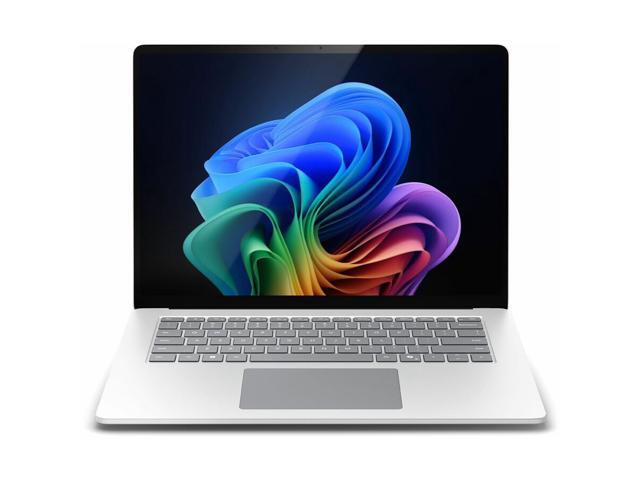
The 15-inch 2496x1664 PixelSense display at 120Hz is excellent. The 3:2 aspect ratio gives you more vertical space than 16:9 widescreen laptops, and I noticed the difference immediately in documents, browsing, and coding. Touch is responsive, and Surface Pen support is available.
Build
Classic Surface design: clean aluminum, no branding overload. At 3.67 lbs for the 15-inch model, it’s not ultralight, but it’s reasonable for the screen size. The keyboard is comfortable with good travel, and the haptic trackpad is large and responsive.
The ARM Question
Be honest with yourself about your app needs. If you live in the browser and Office, the Surface Laptop 7 is outstanding. I loved using it for that workflow. If you rely on specialized Windows software like AutoCAD, certain audio plugins, or legacy enterprise tools, test compatibility first. The battery life advantage is real and life-changing, but only matters if your apps actually work.