Overview
I tested the Razer Blade 16 alongside the MacBook Pro 16 and Dell XPS 16, and the Blade takes a fundamentally different approach. Where the MacBook optimizes for efficiency and the XPS balances portability, the Blade puts raw GPU performance above everything else. The RTX 5080 Laptop GPU combined with a 4K OLED display makes it a mobile content creation workstation. It’s not subtle about it.
GPU Performance
The RTX 5080 Laptop GPU with 12 GB VRAM is the fastest mobile GPU you can get outside of the 5090. I tested it directly against the MacBook Pro 16 M4 Pro for GPU-accelerated workloads, and the Blade was 30 to 50 percent faster in Premiere Pro, DaVinci Resolve, and Blender. CUDA, OptiX, and NVENC support mean maximum compatibility with professional creative software.
In real work: my 4K H.265 exports in Premiere finished fast. Blender Cycles renders were significantly quicker than on integrated GPU machines. Photoshop’s neural filters ran in seconds. If your workflow depends on GPU acceleration, this laptop delivers.
Display
The 16-inch 4K (3840x2400) OLED panel at 120Hz is stunning. 100% DCI-P3, factory-calibrated to Delta E less than 1. This is a reference-grade display. I color graded footage on it and compared with my desktop reference monitor. The results were close enough that I trusted it for client work. The combination of 4K resolution and OLED contrast makes fine detail work a pleasure.
Performance
The Intel Core Ultra 9 285HX paired with 32 GB DDR5 and 2 TB of PCIe 5.0 storage handled everything I threw at it. Large Premiere timelines with multiple 4K streams, complex After Effects compositions, massive Photoshop files. No slowdowns. No waiting. I pushed it hard and it kept up.
The Trade-offs
The Blade 16 is heavy (5.4 lbs), loud under load, and the battery lasted 4 to 5 hours at best in my testing. The 240W charger is a brick. This is a desk-primary machine that can travel when needed, not a daily carry laptop. I used it at home for two weeks and only moved it twice.
The price is also steep. You’re paying for the best GPU in a well-built chassis with a reference display. If you don’t need RTX 5080 performance, the Dell XPS 16 or MacBook Pro 16 give you better value for lighter workloads.
Build
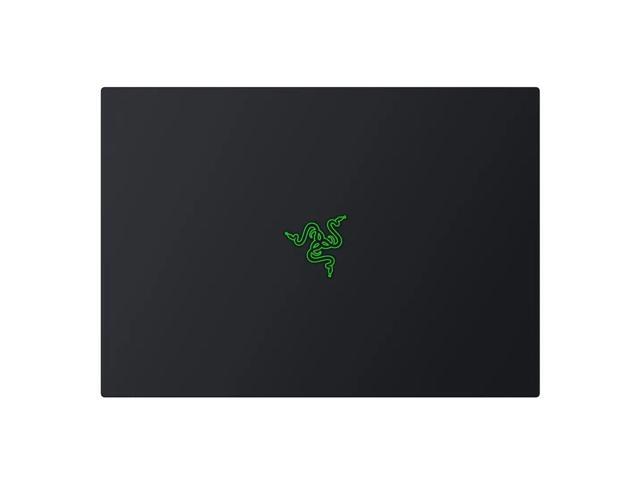
Matte black CNC aluminum, clean design, minimal branding. The Razer build quality is excellent. I pressed everywhere looking for flex and found none. Solid, premium materials throughout. The keyboard has per-key RGB (useful in dim studios) and the glass trackpad is large and accurate.
Who Should Buy This
Video editors working with 4K and 8K footage. 3D artists using Blender or Maya. VFX professionals who need maximum GPU performance in a form factor they can take to a shoot or a client meeting. If you can live with the weight and noise, I haven’t found anything else in a laptop chassis that matches this GPU performance with this display quality.